
First impression
Splash, intro cards, then Begin Your Journey.

Reimagining from the ground up of the moment a new Bitcoin wallet introduces its recovery phrase: how it's introduced, revealed, stored, and verified. The experience offers four verification methods, tap, type, voice, and the new Seed Sky, giving users multiple ways to confirm that they have backed up their recovery phrase accurately, aligned with the company's goal of 100% backup accuracy.
A Recovery Phrase is the master key to recovering access to a user's funds, yet across most BTC wallets, the recovery phrase is often treated as a one-time display task rather than something to actively verify. Current wallet experiences can rush users through this critical step with limited education and verification, leaving room for mistakes such as permanently losing a recovery phrase or storing it in an insecure digital location.
For beginners, complex terminology and limited guidance can create confusion and decision fatigue, contributing to poor security practices such as taking screenshots or saving recovery phrases in cloud storage. This project aims to address that onboarding problem by creating a calm, educational, and confidence-building experience that makes secure backup more deliberate and discourages risky behaviors.
Audited multiple wallets across the custody spectrum; read countless user feedbacks across eight platforms and mapped their journeys; then designed the experience through flows, sketches, hi-fi screens, and an interactive prototype catering real-word edge cases, and design trade-offs. Every guardrail was accompanied by a deliberate security trade-off, balancing protection with usability.
The process combined competitive analysis, user feedback, security constraints, and interaction design to invent the recovery-phrase experience from the ground up. I translated the findings into an optimized flow with contextual education and deliberate UX empahsis, including preventing clipboard copying and screen recording. To balance choice, accessibility, and cognitive load, the verification phase offers multiple user-controlled paths, including device-earpiece-only voice recognition and the mathematically mapped Seed Sky constellation generator.
Below are the outcomes of the project: every backup and verification flow, recorded from the interactive prototype. To see how I got there, from research and problem framing to flows, design trade-offs and edge cases, read on through the rest of the case study.
A backup and verification design for a self-custody wallet that makes sure every user has secured their recovery phrase before any money arrives. Users leave educated + confident in their backup, and the wallet sees fewer lost phrases, fewer support cases and more trust in its product.
When a backup fails, the money is gone. Losses are rarely dramatic hacks. More often a phrase was never written down, written down wrong, or stored somewhere that leaked, and nobody found out until they needed it.
Before designing anything, I needed to be clear on what makes a Bitcoin wallet different from the payment apps most people already use. This section covers the ground the rest of the case study stands on: who holds the money, what custody means, and what a recovery phrase actually is.
You have probably paid with an app like Google Pay, PayPal, Apple Pay or a UPI app. They feel like wallets, but behind most of them sits a bank account or a card. A Bitcoin wallet works on a completely different model, and the rest of this case study only makes sense once that difference is clear.
When you pay this way, a bank holds your money. The app passes the request to a payment network, such as UPI in India or Visa and Mastercard for cards, and your bank approves it, debits your account and keeps the record. Every layer holds part of your data, and the bank can freeze the account, for example over missing identity checks or on a court order. Forget your PIN or password and the bank lets you reset it.
A Bitcoin wallet has no company in the middle. Your bitcoin is recorded on a public ledger that thousands of independent computers keep in sync, and only the holder of the private key can spend it. No bank approves the payment, no one can freeze it, and no one can let you back in if the key is lost.
The two flows below trace the same payment through each model, layer by layer.
Open the app and approve the payment with your PIN, fingerprint or face.
Sends your request, and usually keeps your profile and payment history.
Routes the payment between your bank and the one receiving it.
Holds your money. Approves the payment, debits your account and keeps the record.
Licenses and supervises the banks and the payment networks.
Your money sits in a bank. The app, the network and the bank all see the payment, and the bank can stop it.
Your wallet signs the payment with your private key, on your own device.
Thousands of independent nodes check the signature against the same public rules.
Records the payment for good. Anyone can read it; no one can freeze or reverse it.
No company holds the funds. Lose the key and no one can let you back in.
Bitcoin wallets don't all work the same way either. They differ in who holds the keys, and that one choice decides what you back up, who can help when something goes wrong, and whether anyone can freeze your funds. There are four main models.
Custodial apps like Strike hold the keys for you and behave like a bank, so there is no phrase to lose. Self-custody wallets like BlueWallet and Phoenix hand the keys over, and with them the whole responsibility.
The handover is where things go wrong. It usually happens on a single screen, in the middle of setting up, when people are keen to get to the part where they can buy something.
The table below sets the four models side by side, so the difference between them is clear at a glance.
| Custody model | CustodialThe company keeps the keys | Self-custodyAlso known as non-custodialOne key, held by you | Collaborative multisigSeveral keys, you hold most | MPCOne key, split into shares |
|---|---|---|---|---|
| This case study | ||||
| Who holds the keys | The exchange or app | You, and only you | You hold 2 of 3 keys; a service holds the third | Shares split between your device and the provider |
| What you back up | Nothing: you sign in with a password | A 12 or 24-word recovery phrase | A phrase for each key, plus the wallet setup file | No phrase: an encrypted key share |
| If you lose access | Support resets your login | Only the phrase can restore it | Any 2 of the 3 keys can still spend | The provider's recovery process |
| Can someone freeze the funds | Yes, the company | No | No: the service holds only one key | The provider can refuse to co-sign |
| ID checks (KYC) | Usually required | None | Depends on the service | Depends on the provider |
| Main risk | The company fails, is hacked or freezes you | Losing or leaking the phrase | A complex setup; losing the setup file | Relying on the provider's software and servers |
| Your control | Low1 of 4 | Full4 of 4 | Full4 of 4 | Shared2 of 4 |
| Examples | StrikeCoinbaseCash App | BlueWalletPhoenixSparrow | UnchainedCasaNunchuk | ZenGoFireblocks |
Hardware wallets such as Ledger, Trezor and Coldcard aren't a fifth type. They keep a self-custody or multisig key on a separate offline device, so it never touches an internet-connected phone.
A recovery phrase is a short list of ordinary words that is your wallet. The app on your phone is only a way to use it: whoever holds the words can rebuild the wallet, and spend from it, on any device.
With no company to fall back on, the whole wallet comes down to one secret. A Bitcoin standard called BIP-39 writes that secret as words: 12 or 24 of them, drawn from a fixed list of 2,048 and generated at random for each wallet. Every key and address in the wallet is derived from them. That list of 2,048 words comes back in Seed Sky, where it becomes the basis of a whole verification method.
Anyone holding the words (plus the passphrase, if one was set) can move the funds from any compatible wallet. Anyone who loses them has no reset link and no support line to call. In self-custody, a sheet of paper is the only spare key.
Wallets, and this case study, use these names interchangeably. All three mean the same 12 or 24 words.
A passphrase is something else: an optional extra password, sometimes called the 25th word, that some wallets let you add on top of the phrase. With a passphrase set, the words alone open a different, empty wallet.
Making a phrase stronger is a deep topic. In short, it comes down to entropy: how much true randomness went into creating the words, and so how hard they are to guess. Wallets usually offer a few advanced options:
The problem was very prevelant in the bitcoin space and a inticrate designed solution was required. It expects what to design, what to focus on and how success is measured, and everything after this point answers to it.
Design how a wallet confirms that someone has correctly written down their recovery phrase. Focus on error prevention, clear instructions and accessibility. The goal is 100% accuracy.
I studied around ten to twelve wallets, then narrowed down to three well-known ones for an in-depth look. Each sits at a different point on the custody spectrum, so together they show how differently wallets hand over, or hold on to, the keys.


I walked through each onboarding and asked the same five questions:
If custody made sense, you are probably wondering what on-chain and Lightning mean. Time for a quick lesson.
A network, often called a layer, is the system a payment actually travels on. It decides how fast the payment settles, what it costs, who has to be trusted to process it and how private it is. Bitcoin has its own chain, and several networks are built on top of it or alongside it. Each wallet chooses which ones it supports.
| Network | On-chainBitcoin's own blockchain | LightningPayment channels on top of Bitcoin | LiquidA sidechain pegged to Bitcoin | EcashTokens issued by a mint (Cashu, Fedimint) |
|---|---|---|---|---|
| In this audit | In this audit | |||
| Speed | About 10 minutes a block; final after a few | Seconds | About 1 minute a block | Instant |
| Fees | Set by demand for block space; can spike | Usually tiny | Low | Near zero inside a mint |
| Who you have to trust | No one beyond Bitcoin's own rules | No one if self-custodial, though a service often manages the channels | A federation that holds the bitcoin backing it | The mint, which holds the bitcoin: it's custodial |
| Privacy | Every payment is public; addresses aren't names | Payments stay off the public ledger | Amounts and asset types are hidden | The mint can't link who paid whom |
| What you back up | The recovery phrase restores everything | The phrase, plus channel state (many wallets back this up for you) | The recovery phrase | Depends on the wallet; some restore from a phrase |
| Best for | Savings and larger amounts | Small, everyday payments | Fast transfers between exchanges and traders | Small amounts within a community |
| Examples | BlueWalletSparrow | PhoenixBreez | AquaSideSwap | MinibitsFedi |
Layers, not rivals. Most wallets mix them: Phoenix pays over Lightning but opens and closes its channels on-chain, and moving money between layers costs an on-chain fee.
What each wallet asks of you and does for you, from the first screen onwards. Switch between them to compare. Don't forget to check the Essentials/Legends for understanding the Onboarding user flows.
Strike, BlueWallet and Phoenix are three of the best-known wallets in the Bitcoin space, and each sits at a different point on the custody spectrum. Walking through their flows side by side shows how each one treats custody: what it hands to the user, what it keeps, and how much of that it explains. That made it possible to take the strongest parts of each experience into the design of my own flow.
No seed phrase. Strike holds the keys.
You hold a seed phrase; backing it up is a home-screen reminder.
Seed phrase shown at setup. Nothing checks that you saved it.
I walked through every screen of each wallet, from the first launch to its deepest settings, and asked the same questions at each step. Pick a wallet, then move through its flow part by part with the arrows or the line at the bottom. Numbered markers sit on the exact element a note is about, and dashed arrows show where a tap leads. Recorded walkthrough, personal data blurred.
A splash, a one-line promise and Log in / Sign up. The first real decision is the account type: personal or business.

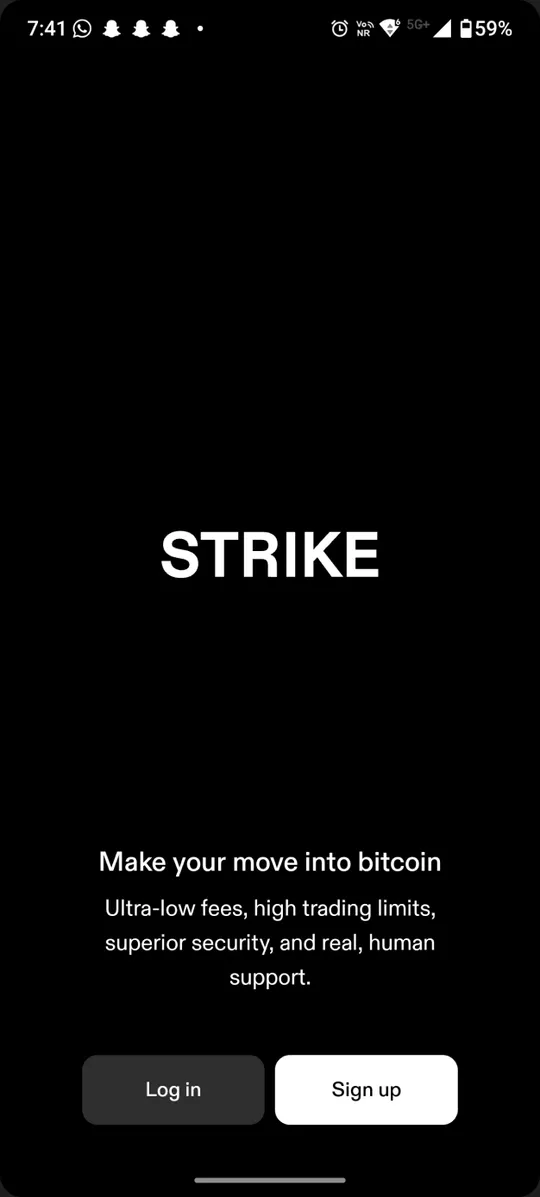
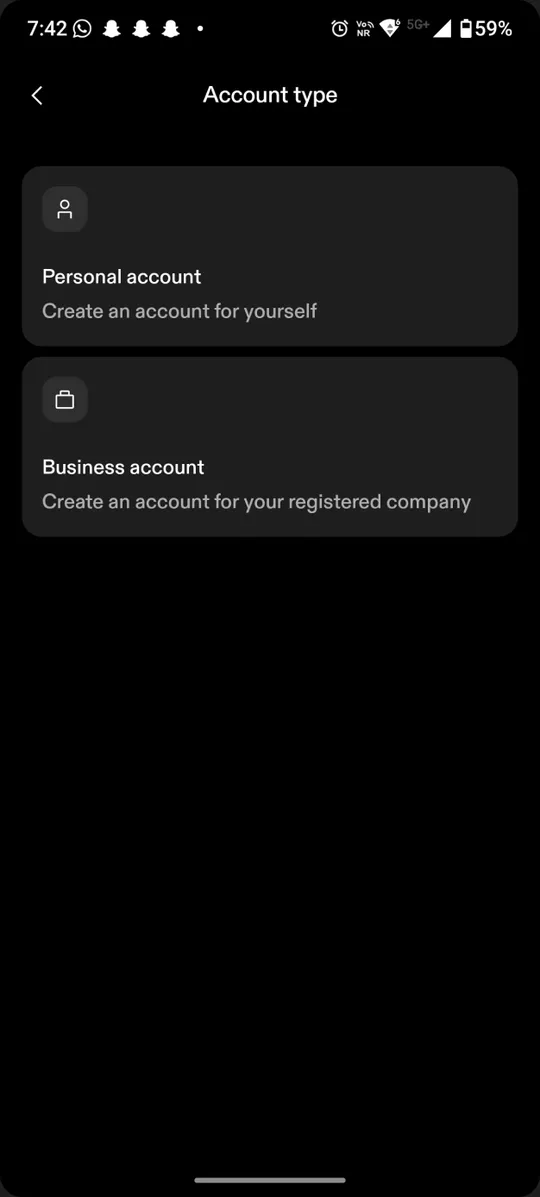
First screens: What is the first screen a new user sees?
My own walkthrough only shows one side of the story, so I went to the people using these wallets every day. I read reviews, ratings and support threads for all three apps, from app-store reviews to community forums, looking for the pain points they share and the ones unique to each.
PhoenixSources:ChromeStats: Phoenix (opens in a new tab)ACINQ/phoenix (opens in a new tab)BitcoinTalk thread (opens in a new tab)@PhoenixWallet on X (opens in a new tab)Phoenix Telegram (opens in a new tab)
Two of the three wallets are rated well below their all-time average in recent reviews. Hover a line or pick a wallet for its downloads, ratings and what recent reviewers complain about.
Sources:Google Play: Strike (opens in a new tab)Google Play: BlueWallet (opens in a new tab)ChromeStats: Phoenix (opens in a new tab)
Account review - Locked BTCI've just gone back to my account today and it is all locked up and says under review. […] I'm scared I'm going to lose it. I know 'not your keys not your c[oins]' […]
Cannot change my email addressI just got hacked and would like to change the email on my account, but the app doesn't let me do it freely
My strike got close over 2 month agothey said they were trying to protect me and said i have to wait 60 days for an investigation conclusion to get refunded […] Now 60 days is over September 2nd i sent an email and haven't gotten any response or money yet.
They claim a direct deposit from a bank account that is in your name goes in minutes but here I am, one day later, still waiting for my deposit to reflect. […] Tell me why I have had no response to my complaint till now.
Locked out of my accountThis happened because I enabled 2fa to Google Authenticator on my previous device that I no longer have access to, I contacted strike support two days ago now and I haven't received a response back yet […]
Strike confiscated my BTC with no explanationI logged in this weekend and found out my account was closed due to fraud. […] there is a 60 day hold for review and they might refund to my bank. In BTC, who knows. And there is no customer support.
Account is locked. What happens to my BTC?I tried to withdrawal my BTC from strike today and send it to my hard wallet. They locked my account immediately.
Customer support permanently closed my account because activity on the account violated the terms of service. MY ACCOUNT HAD NO ACTIVITY OTHER THAN SUBMITTING MY VALID ID AND PICTURE! I can not create a new account because my phone number is on the canceled account that I can't log into.
[…] Strike bans user for self custodyI answered the questions transparently: confirming an intent to withdraw to a personal cold storage hardware wallet under sole ownership. […] an automated algorithm permanently terminated the account […]
I kept getting rejected for the photo of my license and their response was a copy and paste of the rules. On top of that they told me to resubmit the photo but didnt reset the app so it continuously says it is being reviewed.
Locked out of my accountThis happened because I enabled 2fa to Google Authenticator on my previous device that I no longer have access to, I contacted strike support two days ago now and I haven't received a response back yet […]
Account review - Locked BTCI've just gone back to my account today and it is all locked up and says under review. […] I'm scared I'm going to lose it. I know 'not your keys not your c[oins]' […]
Customer support permanently closed my account because activity on the account violated the terms of service. MY ACCOUNT HAD NO ACTIVITY OTHER THAN SUBMITTING MY VALID ID AND PICTURE! I can not create a new account because my phone number is on the canceled account that I can't log into.
Strike confiscated my BTC with no explanationI logged in this weekend and found out my account was closed due to fraud. […] there is a 60 day hold for review and they might refund to my bank. In BTC, who knows. And there is no customer support.
Cannot change my email addressI just got hacked and would like to change the email on my account, but the app doesn't let me do it freely
[…] Strike bans user for self custodyI answered the questions transparently: confirming an intent to withdraw to a personal cold storage hardware wallet under sole ownership. […] an automated algorithm permanently terminated the account […]
Account is locked. What happens to my BTC?I tried to withdrawal my BTC from strike today and send it to my hard wallet. They locked my account immediately.
My strike got close over 2 month agothey said they were trying to protect me and said i have to wait 60 days for an investigation conclusion to get refunded […] Now 60 days is over September 2nd i sent an email and haven't gotten any response or money yet.
I kept getting rejected for the photo of my license and their response was a copy and paste of the rules. On top of that they told me to resubmit the photo but didnt reset the app so it continuously says it is being reviewed.
They claim a direct deposit from a bank account that is in your name goes in minutes but here I am, one day later, still waiting for my deposit to reflect. […] Tell me why I have had no response to my complaint till now.
and many more, across 3 platforms…
Sources:Google Play reviews (opens in a new tab)Trustpilot (opens in a new tab)r/strikebtc (opens in a new tab)
The table below brings the whole analysis together. It answers the five questions I judged every wallet on, from when responsibility shifts to where the cognitive load spikes, so the three can be compared side by side in one place.
| Question | StrikeCustodial | BlueWalletSelf-custody, on-chain | PhoenixSelf-custody, Lightning |
|---|---|---|---|
| Q1When does responsibility shift to the user? | It never does.Strike holds the keys behind a login, passkeys and 2FA, and never says so. | At wallet creation.The seed phrase gets one screen and a disclaimer pop-up, then never comes up again; backing it up is left entirely to you. | At the splash screens.Three cards say you are responsible for your wallet; the backup itself is a later reminder. |
| Q2Is security explained, or only enforced? | Enforced.Identity checks come first, but how funds are secured is never explained. | Enforced.Encryption and biometrics are prompted with no word on why, or whether they are on. | Mostly enforced.Backup is encouraged and a few tooltips exist, but how keys work is barely explained. |
| Q3Does the flow build confidence or break it? | Builds, then breaks.A bold, guided start, until KYC jumps to a third-party screen and an address form that keeps clearing. | Breaks it.No brand, no introduction and a purely functional UI leave newcomers unsure what the wallet is. | Builds it for the experienced.Quick, with no KYC, but no guided security walkthrough, so beginners feel unsure. |
| Q4Are Bitcoin concepts revealed or hidden? | Hidden.On-chain and Lightning are never told apart; all education sits in a website FAQ. | Revealed, not explained.XPUB, entropy, fee bumping and coin control are all on show, none explained. | Mostly hidden.Channels and liquidity run in the background; fees and on-chain versus Lightning go unexplained. |
| Q5Where does the cognitive load spike? | Identity verification.Camera access and ID documents mid-flow, in a third-party KYC screen with its own colours. | Creating the wallet.Wallet types and entropy choices up front, with no guidance on which to pick. | Settings and backup.Little friction to the home screen, but settings assume knowledge and recovery gets no real onboarding. |
Every part of my research pointed at the same moment: Wallets show the recovery phrase once and hope for the best, and when that hope fails, the whole cost lands on the user. There is no one to call and nothing to reset.
Self-custody wallets hand beginners a recovery phrase on a single screen, mid-setup, and often never check that it was written down correctly. People leave with a missing, wrong or leaked backup and only find out when they need it, by which point the funds are gone.
How might we make sure every user has an accurate, offline backup of their phrase before any money arrives, without turning setup into a test they want to skip?
Many wallets, including both self-custody wallets I audited, treat the recovery phrase as a display step. The words appear, a checkbox asks if you saved them, and the app moves on. Checking the copy is optional, when it exists at all.
Beginners fill the gaps with what they know from other apps. They screenshot the words, paste them into a notes app, or assume the wallet can restore them later the way a bank resets a password.
“It works like a password. I can reset it later.”
Reality:Self-custody has no reset link. Lose the words, lose the wallet.
“Support can recover it from my email or phone.”
Reality:Nobody else holds a copy, so nobody can restore access.
“I'll screenshot it, or keep it in my notes/chat.”
Reality:Galleries and notes sync to the cloud, where malware and leaks can reach them.
“The app keeps a copy I can look at later.”
Reality:Many wallets show it once at setup, then bury it in settings. Lose the phone and it exists only where you wrote it.
Before narrowing down to the one person I design for, I set out to map, as exhaustively as I could, everyone who uses a Bitcoin wallet. My research grouped them into five kinds of people, each hit differently when a backup goes wrong. Their needs overlap more than they differ, so the final persona carries the risks, edge cases and UX needs of all five, built around the one who suffers most.
 NewcomerFirst wallet, or one someone set up for them
 Everyday spenderSmall, fast Lightning payments
 Security-first saverHolds for years, guards privacy
 MerchantTakes bitcoin at the counter
 Power user & builderWants full control of every setting
▬ Backup risk: how hard a missed or broken backup hits them
The reviews and threads sorted naturally into three levels of experience. I wrote each up as a person, so the findings had a face when I came back to them during design.
Wants to try Lightning without running a node. Likes how simple Phoenix looks, then gets lost the first time a payment fails and nothing explains why.
Trusts the app daily and likes the automation, but wants to see what happens to channels and fees before trusting it with more.
Gets paid in bitcoin and tests the edges. Hidden complexity reads as missing control, and thin documentation reads as risk.
I mapped each person from first motivation to how they felt about the wallet afterwards. The curves differ, but the low points line up: fees, channels and backups that nobody explained until they cost something.
Rachel is one confusing moment away from giving up. The explanation has to be right where the confusion is, not behind a link to a FAQ.
None of the dips came from Bitcoin being hard. They came from the app doing something important without saying so. A recovery phrase fails the same way: nothing seems wrong until the day the paper is needed.
Some of these people are safe at the backup step: they already know the phrase's importance. The newcomer has neither. They meet the recovery phrase once, on one screen, mid-setup, and a mistake stays invisible until the day they need it.
Aman is who the flow is built around: a student with a first wallet freshly installed, keen to buy and send small amounts, with no patience for jargon or detours. If the flow works for Aman without a search engine, it works.

Started using a wallet with no prior knowledge. Wants to buy, send and receive small amounts of Bitcoin, quickly.
“I just want to know I did it right, without googling every word.”
Lining each person up against the backup step kept me honest about who every decision served. I asked one question per person: at the backup step, what do they need, and what in the design answers it?
| At the backup step they need | What the design does | |
|---|---|---|
| Aman · primary | Plain words, one step at a time, proof it worked | Intro and disclaimer on their own screens, a tooltip on every screen, a result with an accuracy score |
| Rachel · beginner | Explanations at the point of confusion | Education inside the flow; nothing links out to a website |
| Max · intermediate | To know why each step exists | Every warning says what it prevents; Skip for people who know the basics |
| Anita · advanced | Control over how the key is made and checked | Advanced options (24 words, a passphrase, dice entropy) and a choice of four verification methods |
| Low vision or limited motor control | A way to verify without small tap targets | Voice verification with a hidden transcript and earpiece-only playback |
The essentials in each step, a tooltip for more. Never a trip to a website.
Say why shortcuts are dangerous, so good practice never feels like nagging.
Friction around the phrase, and nowhere else.
People pick how they verify, and can add their own entropy.
Voice and large targets in the main flow, not in settings.
Leave knowing the backup works, not hoping it does.
The project ended at a working prototype, so there's no launch data. This is the measurement plan I'd ship with: one north star, and a few signals that show where the flow breaks if it does.
| What it tells us | Proposed target | |
|---|---|---|
| North star: new wallets with a verified backup before the first deposit | Whether the flow does its one job | 100% |
| First-attempt verification accuracy | Whether the reveal and the instructions work | ≥ 90% |
| Drop-off between reveal and verify | Whether friction tips into abandonment | < 5% |
| Share of each verification method | Whether all four options earn their place | Track; revisit any under 5% |
| Re-verification pass rate after 90 days | Whether the paper backup still exists | ≥ 95% |
| Support contacts about lost phrases | The cost this design exists to remove | Trending down |
I drew the common pattern from the audit. The phrase appears once, a checkbox asks if it's saved, and verification, where it exists, is optional and easy to skip. Most wallets rush people through this step with little education, guidance or accessibility, and few tooltips or disclaimers to explain what is at stake.
The redesign turns that one screen into a sequence: learn, acknowledge, reveal, store, verify, seal. The checkpoints can't be skipped. The education around them can, for people who already know it.
I also wrote down how I wanted people to feel at each step, because the old flow left them rushed, confused and a little afraid.


Breathing room between steps: one idea and one decision per screen, with a visible step count.


Every term is explained where it appears, through the ⓘ tooltip on every screen. No trip to a website FAQ.


Plain-language warnings, a privacy check before the reveal and a clear result at the end, instead of a silent “done”.
Before any pixels I sketched the screens to settle the structure: what each screen asks, where the one decision sits, and how someone backs out.
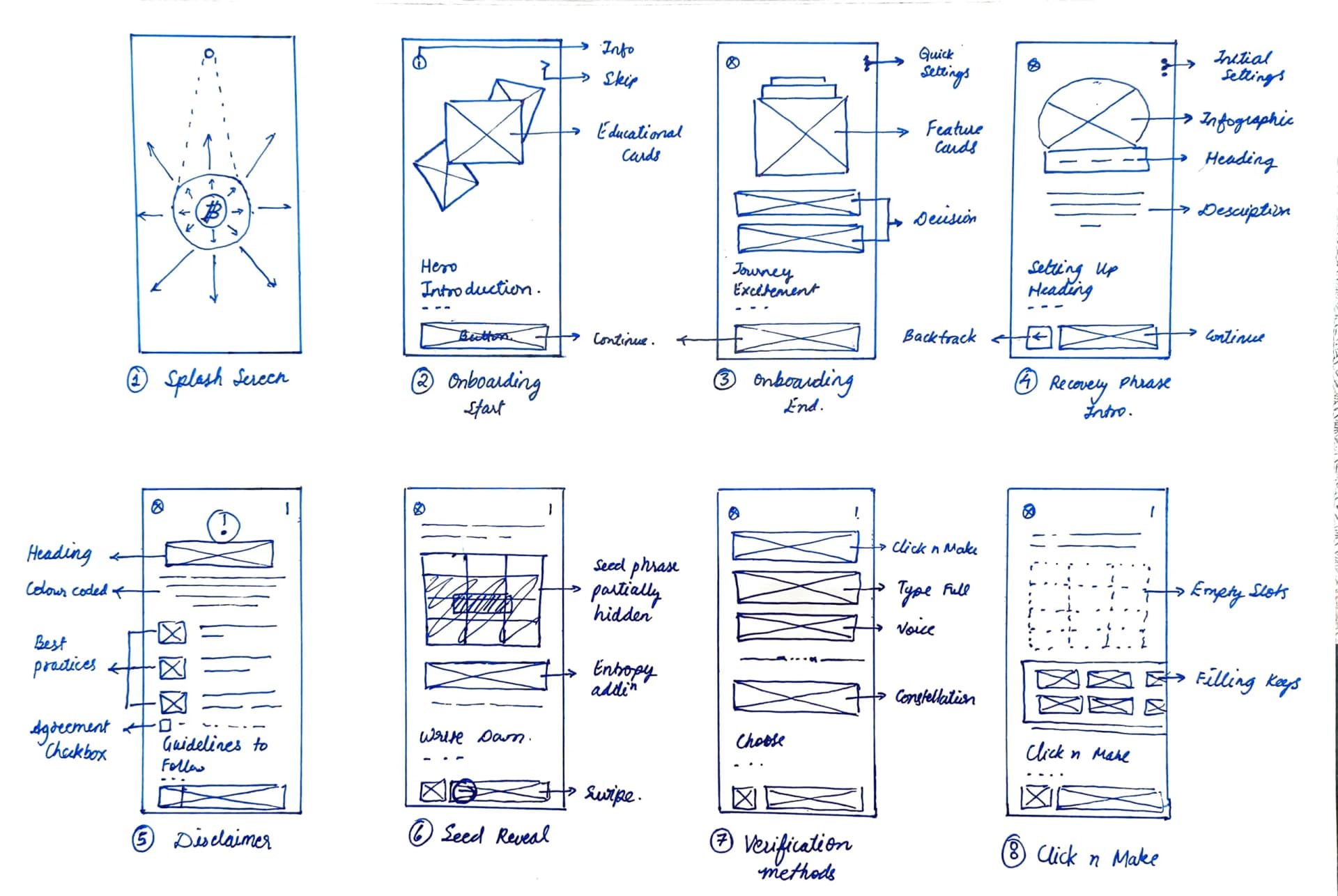
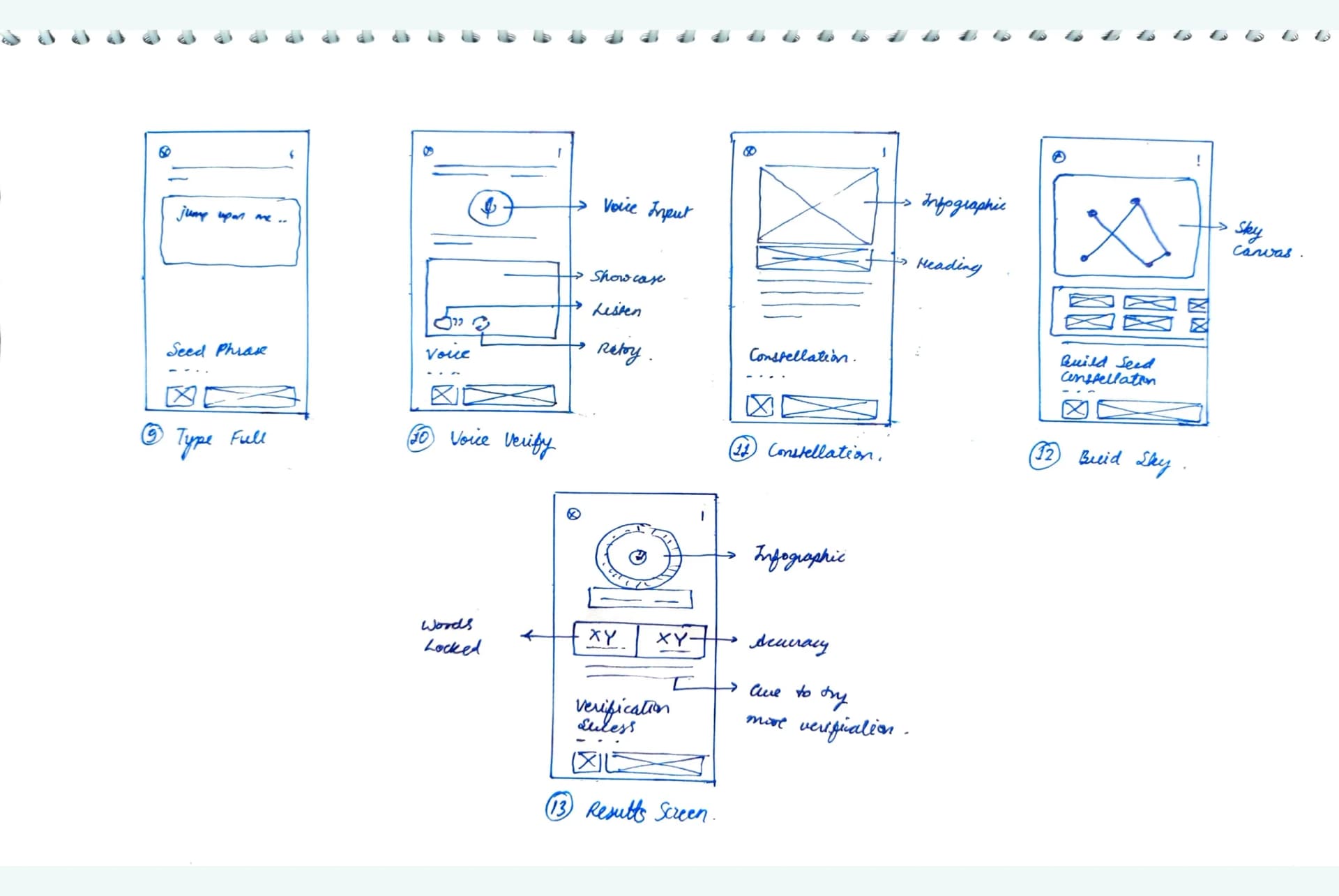
Voilà, time to see how all of it turned out. This part walks through the prototype in the order a new user meets it: onboarding, the backup, then verification. Beside each step sit the trade-offs behind it, because every safeguard costs something, and the edge cases it has to survive, for the person who does the unexpected.
I deliberately focused on getting the structure right rather than filling every screen. More feature cards, screens and settings can be added as the product needs them, but the design language had to be set here.
Splash, intro cards, then Begin Your Journey.
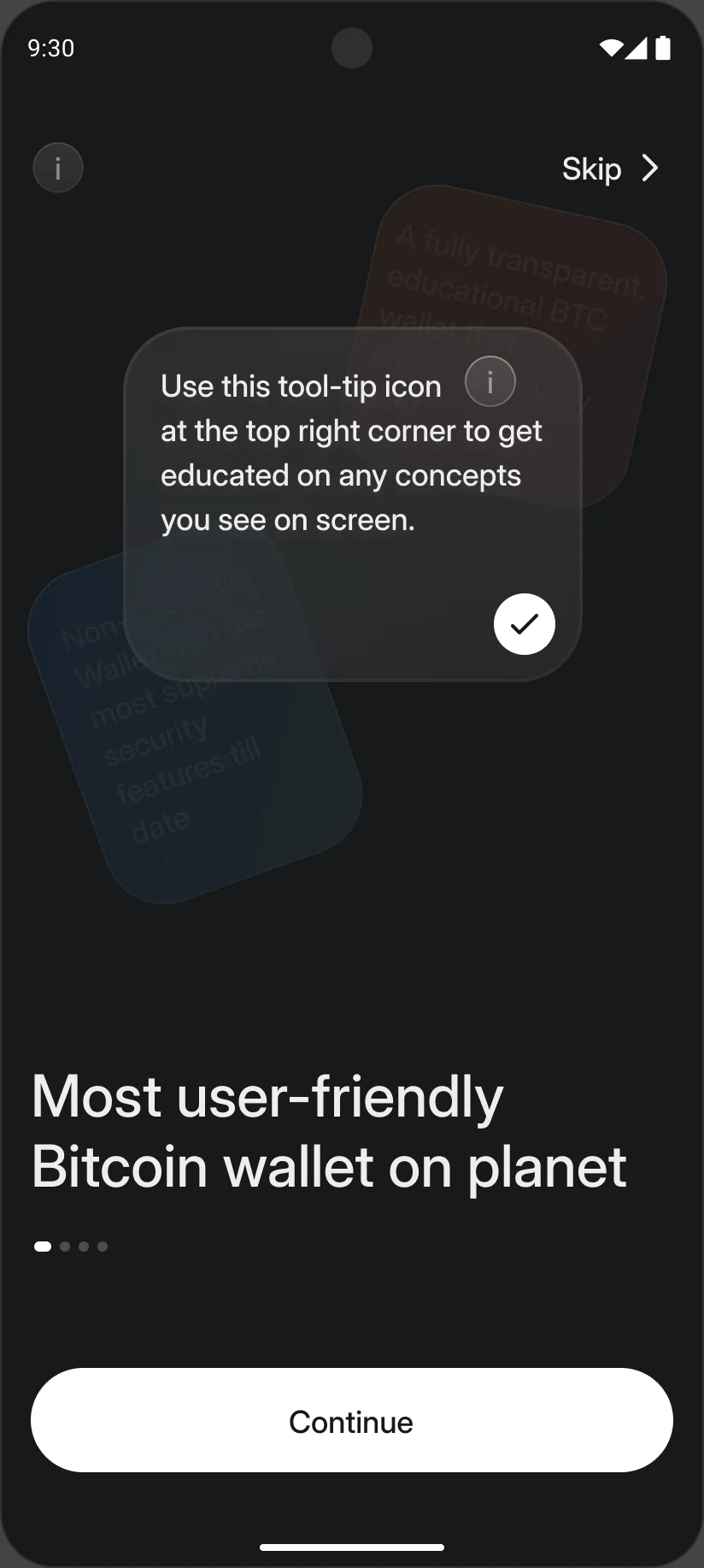
Creating a wallet leads straight into the backup. The phrase is explained, guarded by a disclaimer, revealed in private and stored offline before anything else happens.
What a seed phrase is, then a disclaimer to tick.
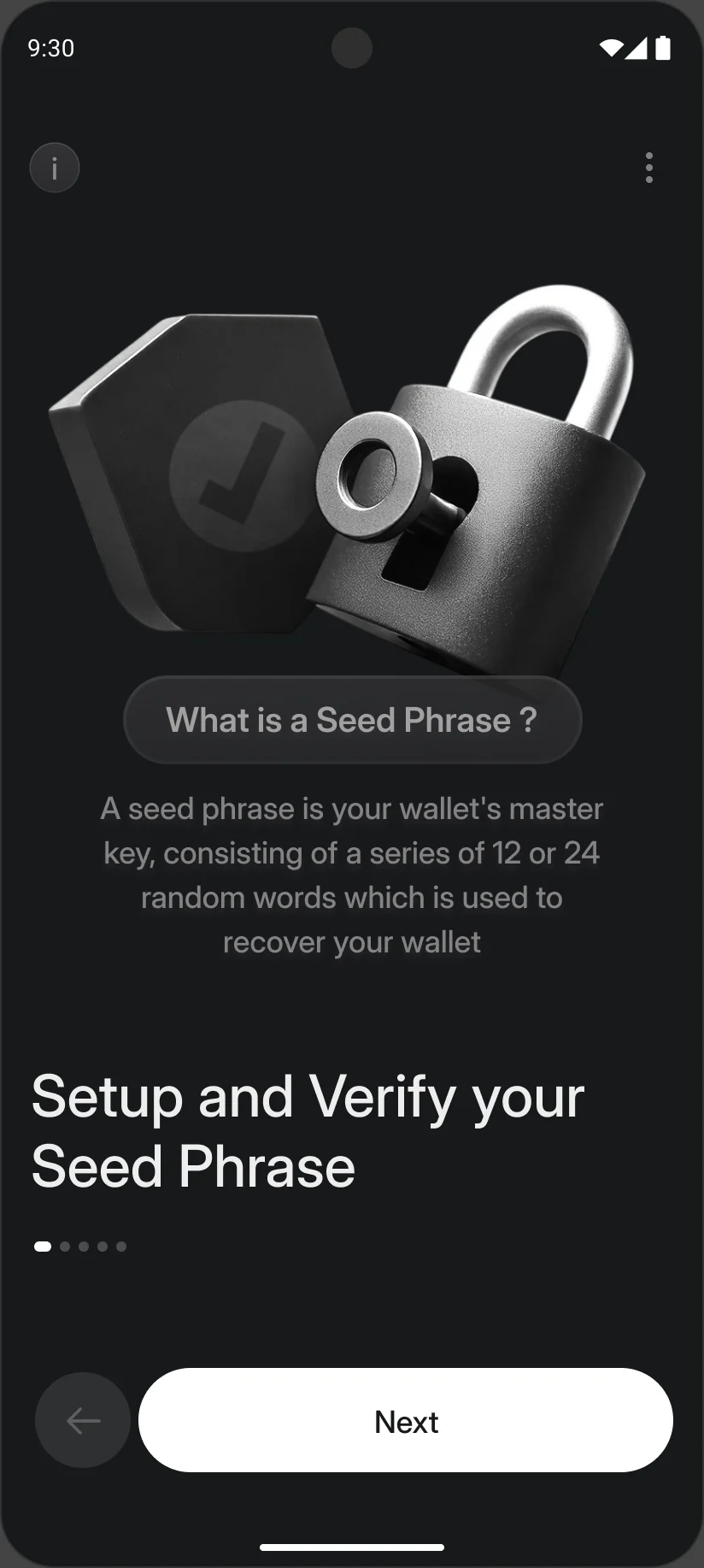
Most loss starts with a wrong idea of what the phrase is. People assume it works like a password that can be reset, or that the wallet can recover it by email. So the explanation and the warning are separate screens, each with room to be read.
The disclaimer says it plainly: lose the phrase and nobody can restore access. Three illustrated rules follow, and nothing moves until the person ticks “I understand”.
Many people also don't take the phrase seriously and plan to screenshot it or keep it in a notes app, which is why the warnings get this much room.
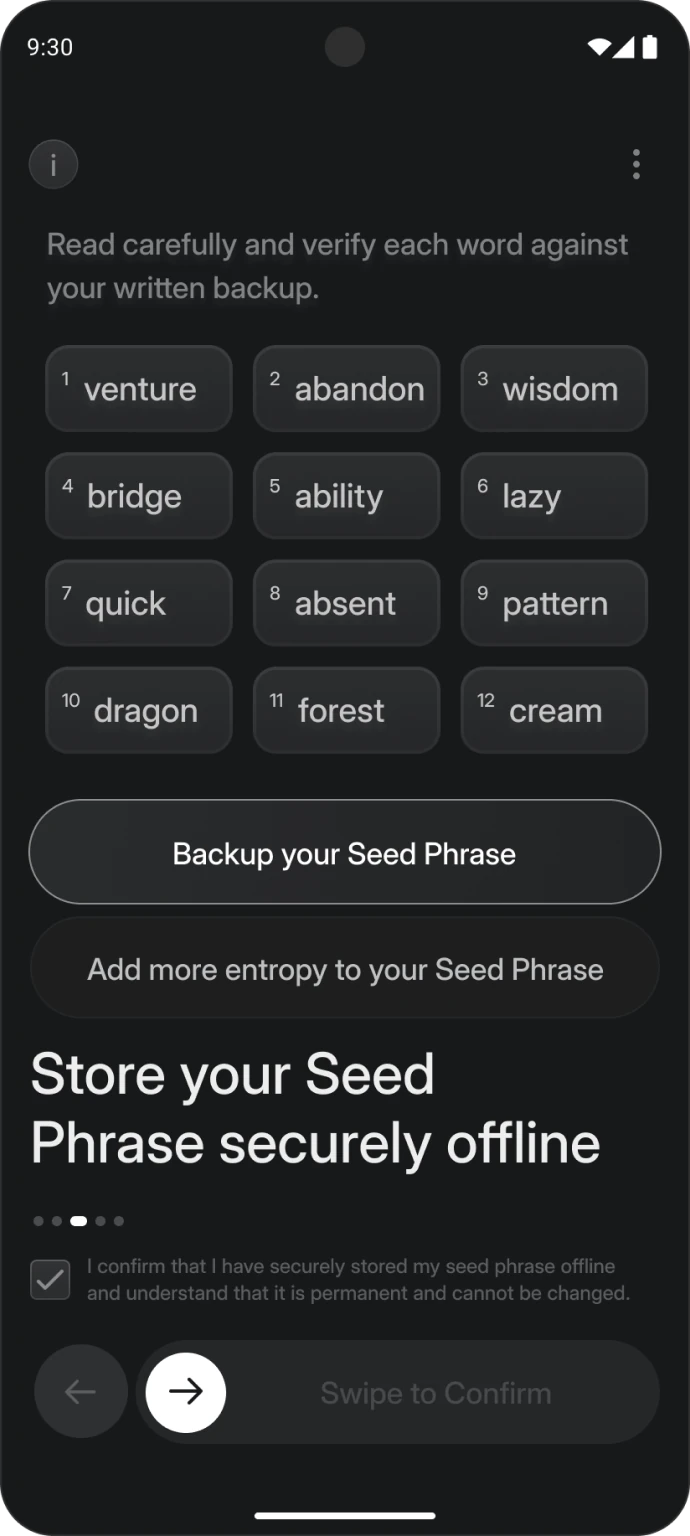
Hold to reveal, store it offline, then swipe to confirm.
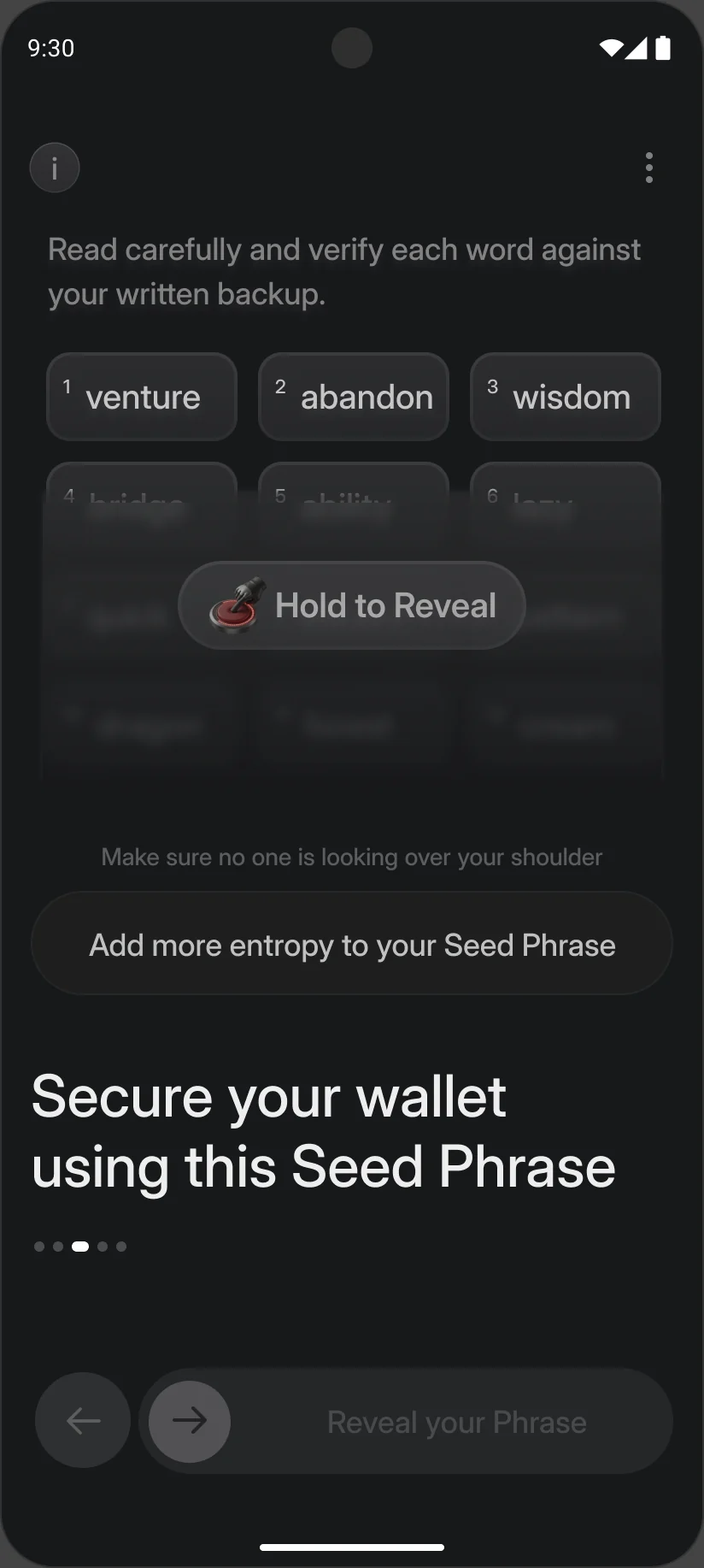
The words stay blurred until the person presses and holds, so they never sit on screen by accident. The reveal screen asks whether anyone is looking over their shoulder, and offers advanced options (24 words, a passphrase, dice) for people who want them.
To continue, they confirm the phrase is stored offline and swipe instead of tap. It takes a second longer, which is the point.
A “back up to cloud” button is the easy win, and plenty of wallets have one. Digital copies leak through malware, syncing and shared galleries, and industry practice is offline storage, so I left it out.
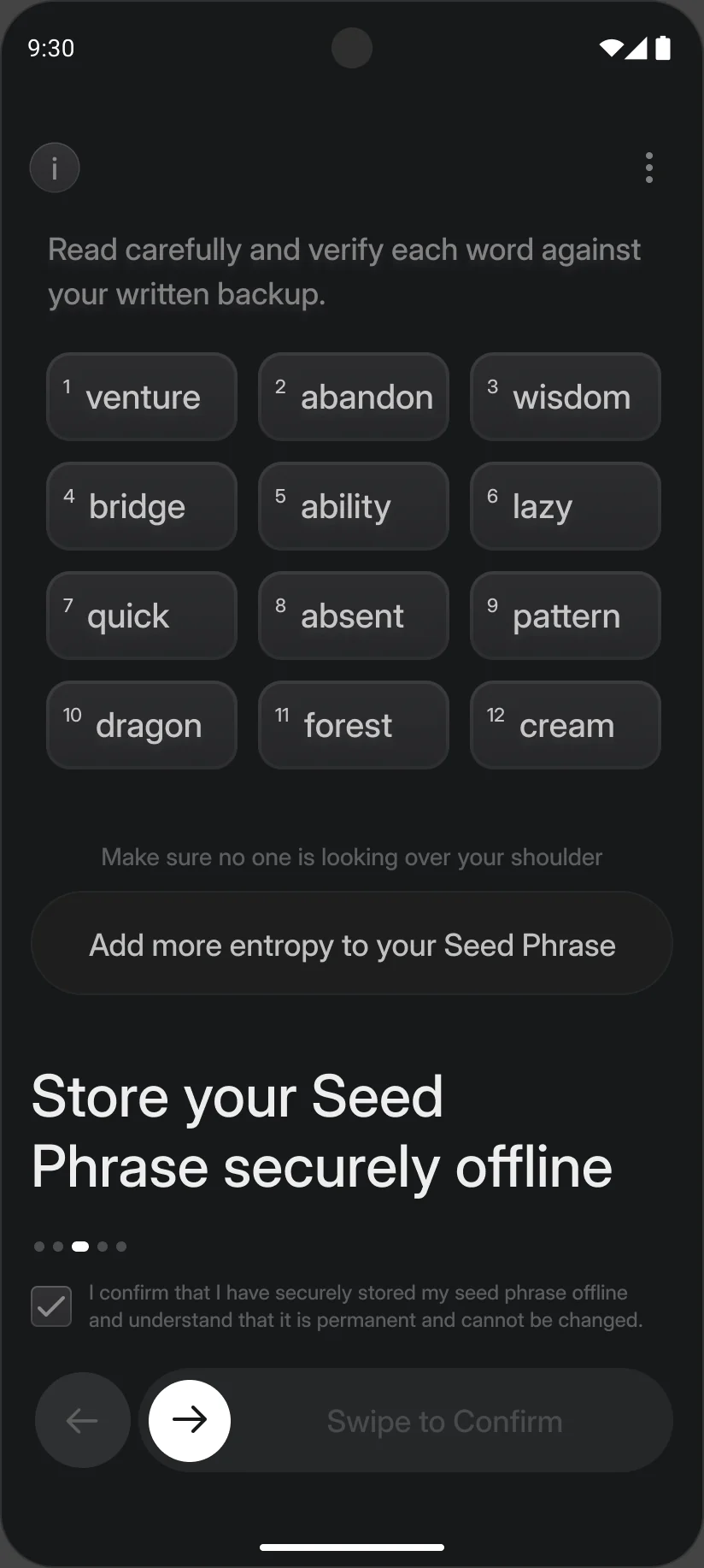
The phrase screen resets, with a note explaining that leaving isn’t allowed at this step.
Screenshots and screen recordings of the phrase screens are blocked or blanked wherever the operating system allows it.
The words can’t be copied to the clipboard in any flow. Writing it down is the only way out.
A few wallets let people view the phrase again behind authentication. Many, this one included, show it once and verify it, for stronger security, and the disclaimer says so plainly.
Once the phrase is on paper, the wallet asks for proof that the copy is right. Nothing opens until one of four methods passes.
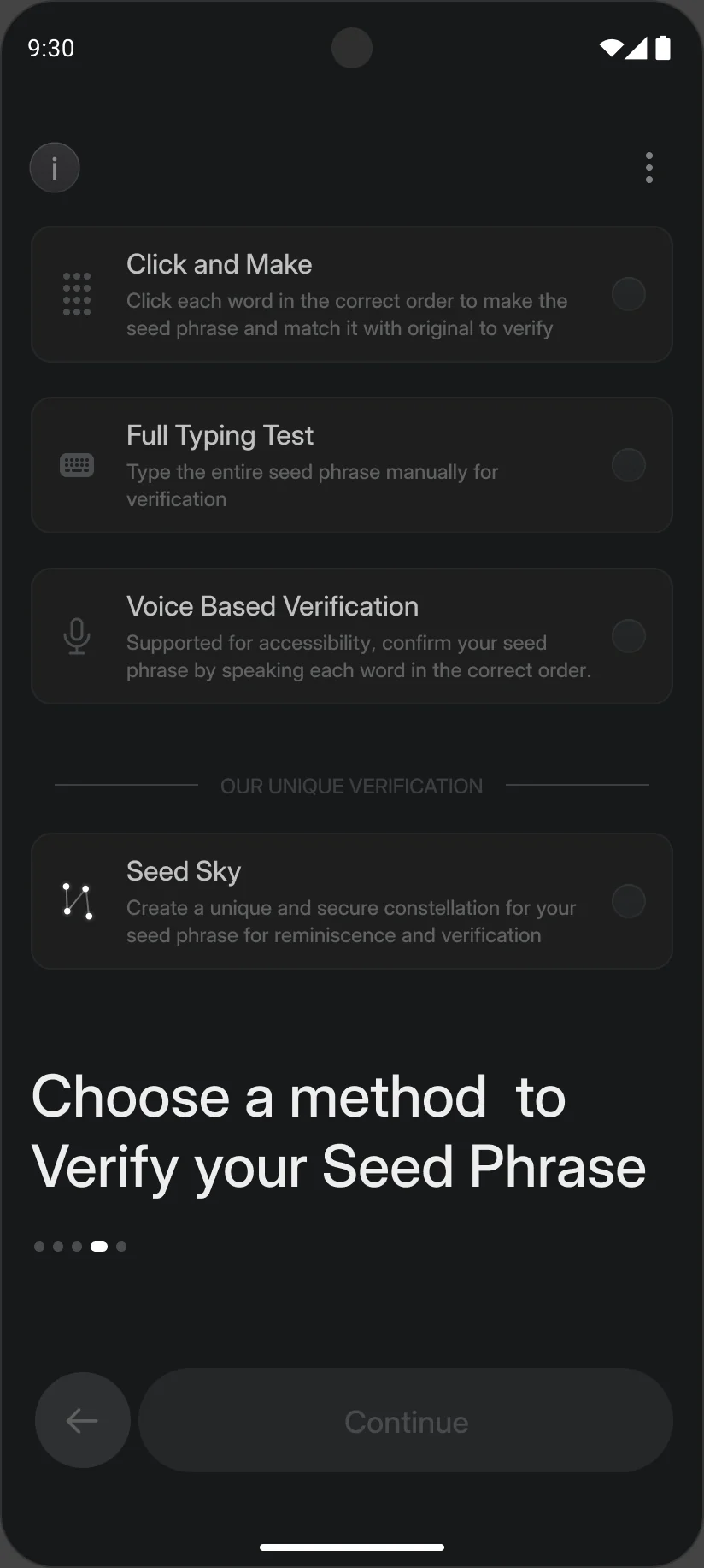
Verification is where the 100% goal lives. One method would have been simpler, but every single method shuts somebody out: typing is slow on small keyboards, voice fails in a busy room, small chips are hard with low vision.
So the hub offers four. Click & Make comes first because it's the most familiar, and Seed Sky sits below a divider so the new idea never crowds the known ones.
Hick's law says more options take longer to choose from. Offering four was a deliberate cost, paid so that no one is shut out.
Verification can’t be bypassed. A back option returns to the phrase so it can be recorded first.
The wallet can prompt a re-check now and then, with a randomly chosen method each time, so it stays relevant and never turns rote.
Pick a method, tap the words in order, verify. One wrong try, a retry, then 75%.
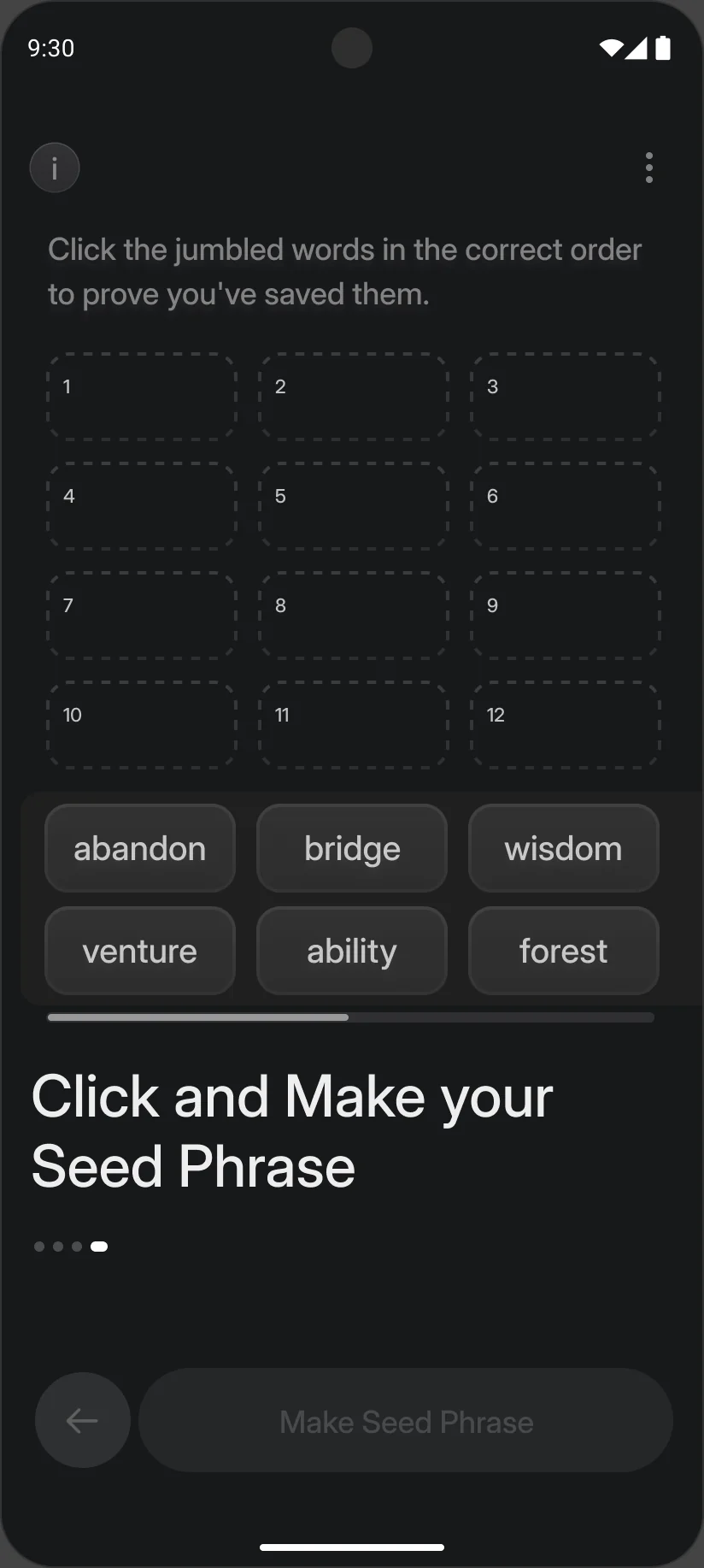
People tap the jumbled words in the order they wrote them. Only the phrase's own twelve words appear, not all 2,048, which keeps the screen readable. The phrase is checked once, as a whole, when they press Verify.
A real restore picks from all 2,048 words. Showing that list during setup would swamp the screen and the person, so Click & Make shows the twelve words of this phrase, jumbled.
Word-by-word feedback feels friendlier, but it lets someone pass by trial and error: tap a word, see if it was right, try the next. That proves nothing about the paper. So Click & Make checks the whole order at once, allows three attempts, then locks the wallet for ten minutes. The only practical way through is the written copy.
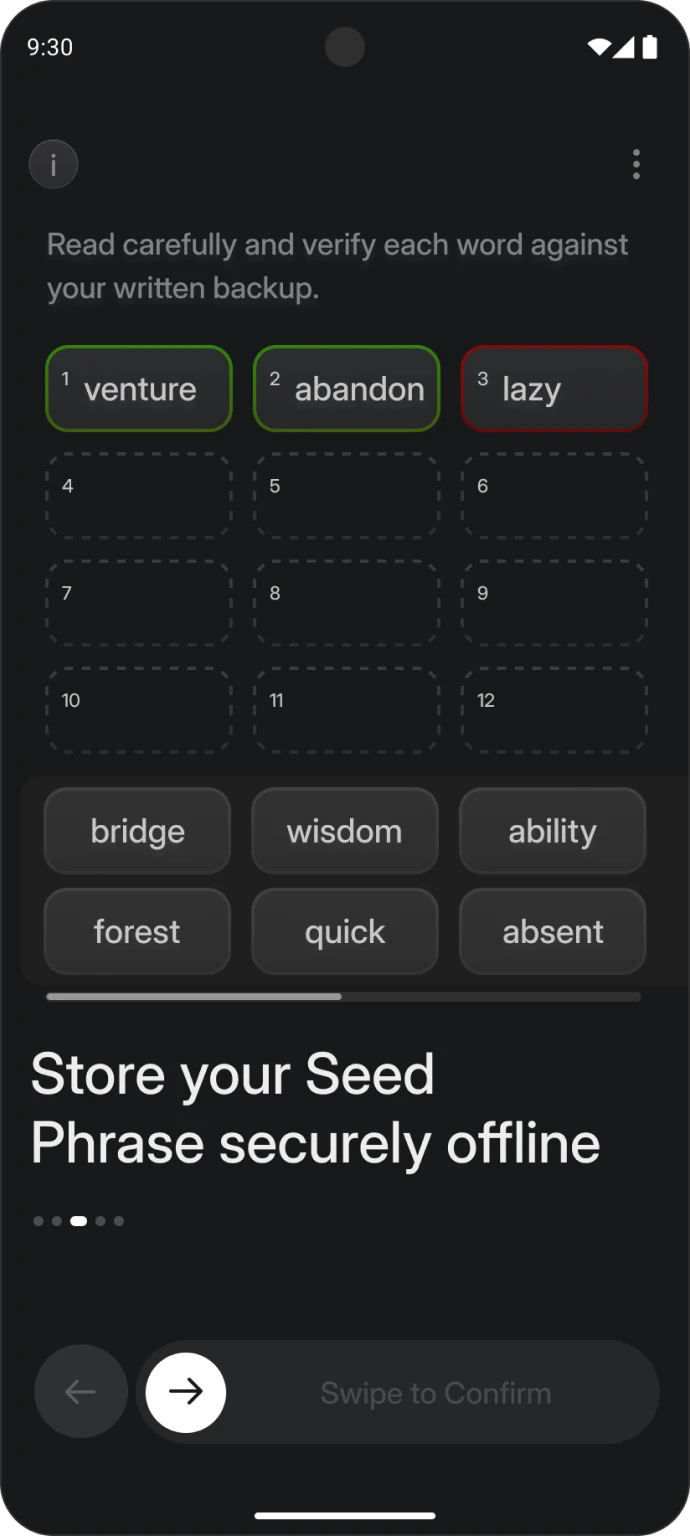
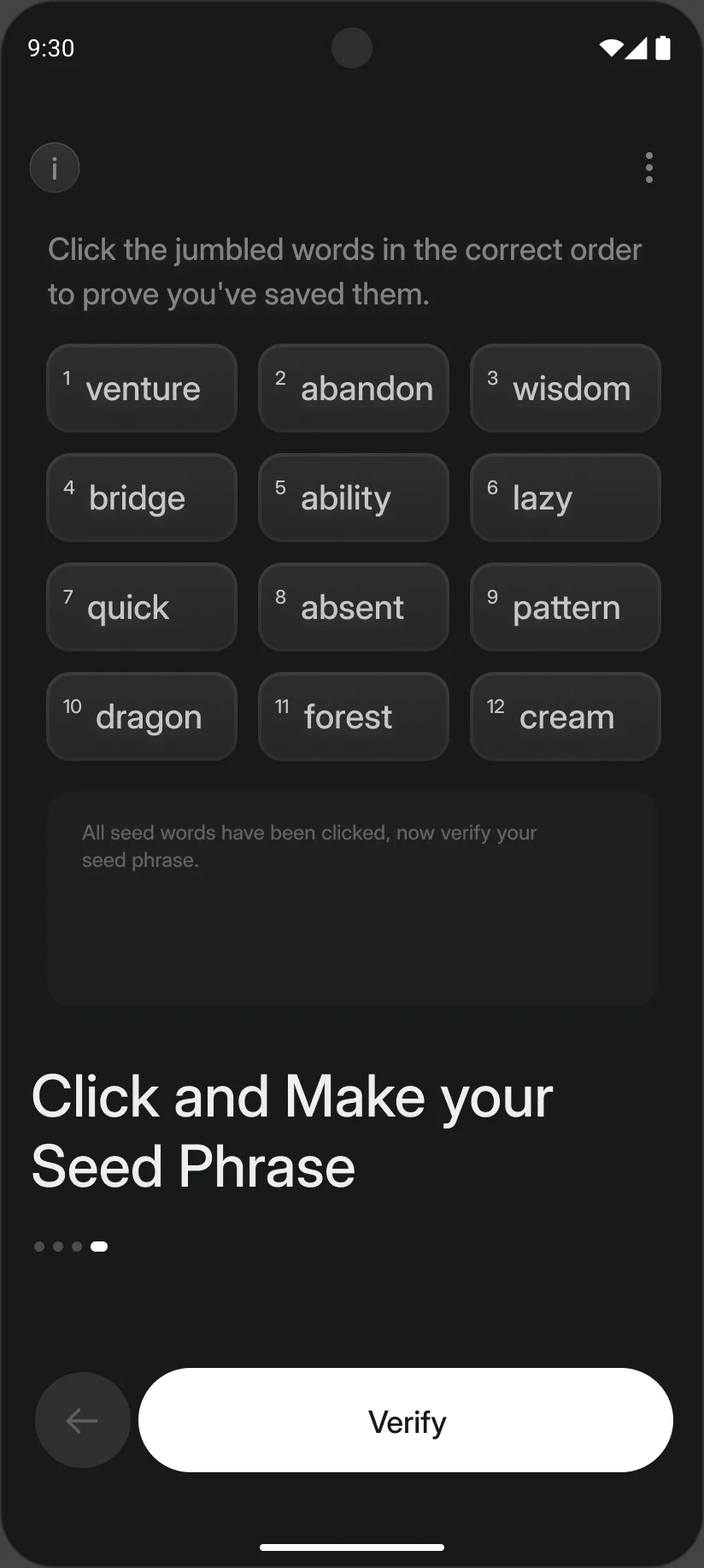
3 tries, then a 10-minute lock. Guessing through all 479 million orders would take about 3,000 years of non-stop tries. The check can only be passed with the written copy.
Each retry says how many attempts are left. After three, the wallet locks for ten minutes.
They would need rate limiting, such as a 15-minute lock after five wrong tries, to keep brute-force guessing out.
Later, click, type and fill-in-the-blank could be combined in one check, for more flexibility without losing usability.
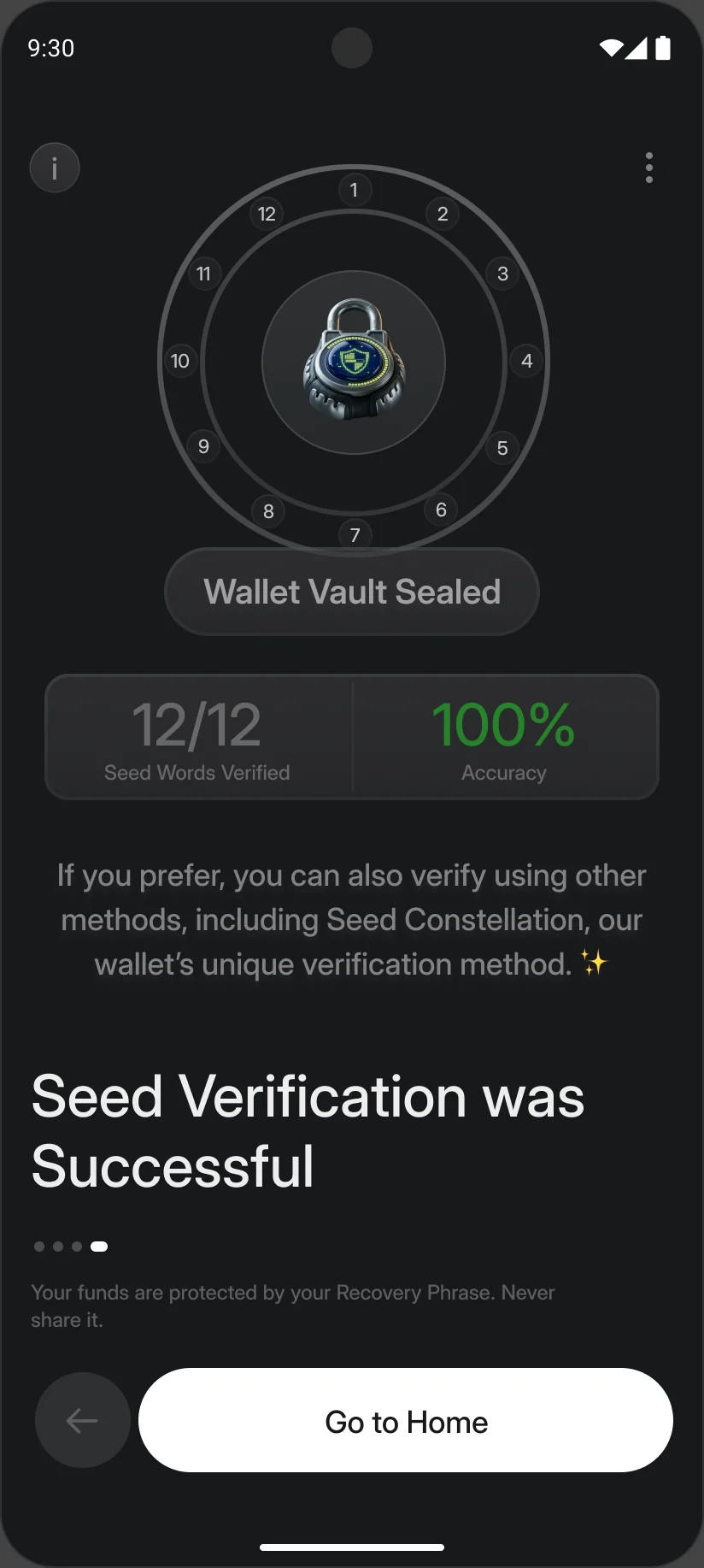
The last screen doesn't just say done. It shows 12/12 words verified and an accuracy score, worked out from wrong attempts against correct ones. A 75% tells someone, gently, that their copy deserves another look.
Both results end with a cue to try the other methods, Seed Sky in particular, so the wallet's most distinctive feature gets discovered.
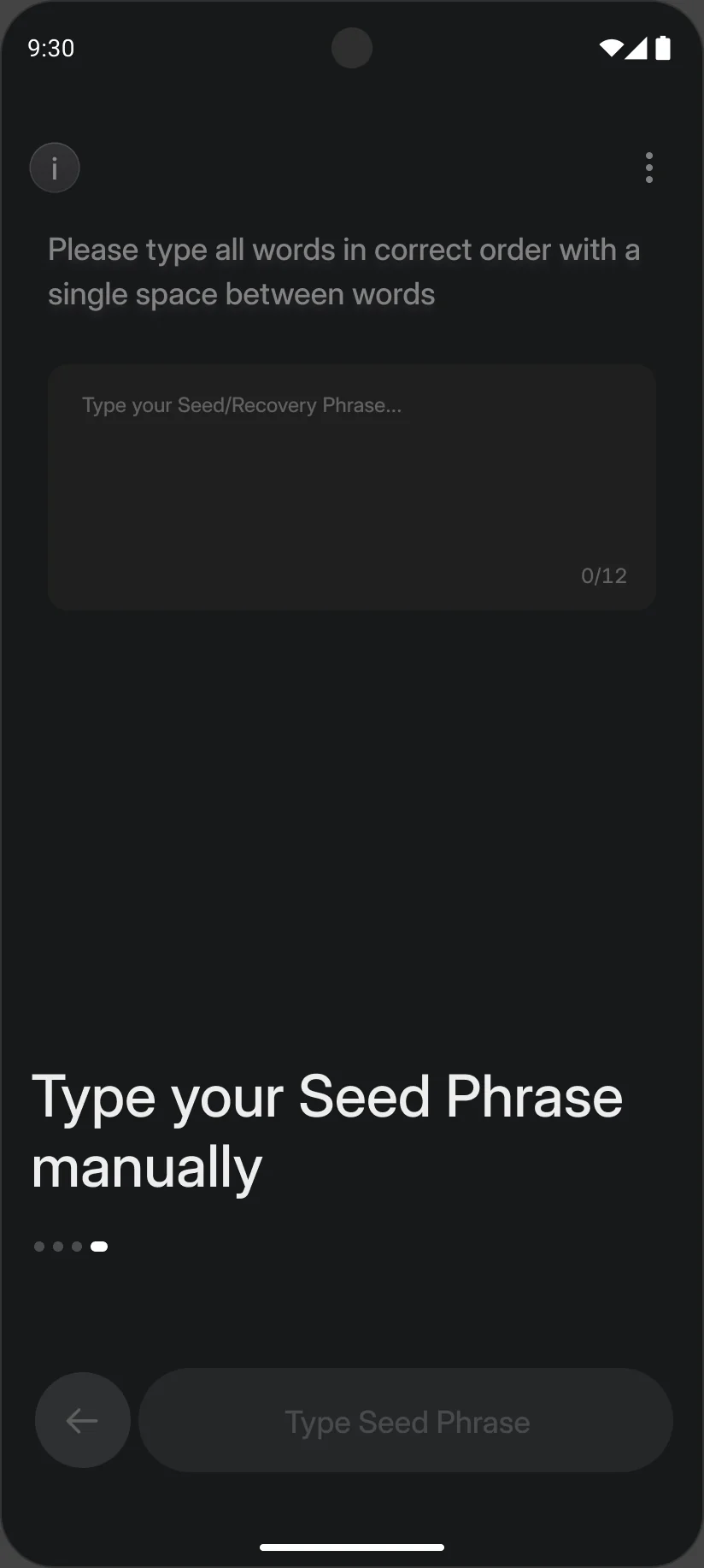
For confident users, and a good test of whether the handwriting is legible. The whole phrase goes into one field with a running 0/12 to 12/12 count. Nothing here touches the clipboard either.
The whole phrase in one field, then verify. 100% first time.
Built for people with visual or motor impairments. They tap once and speak the words in order. The transcript stays hidden behind tap to view, and listening back plays through the earpiece only, so the room doesn't hear the phrase twice. Speech recognition has to run on the device, so the words never reach a server.
Tap, speak, review the hidden transcript, verify.
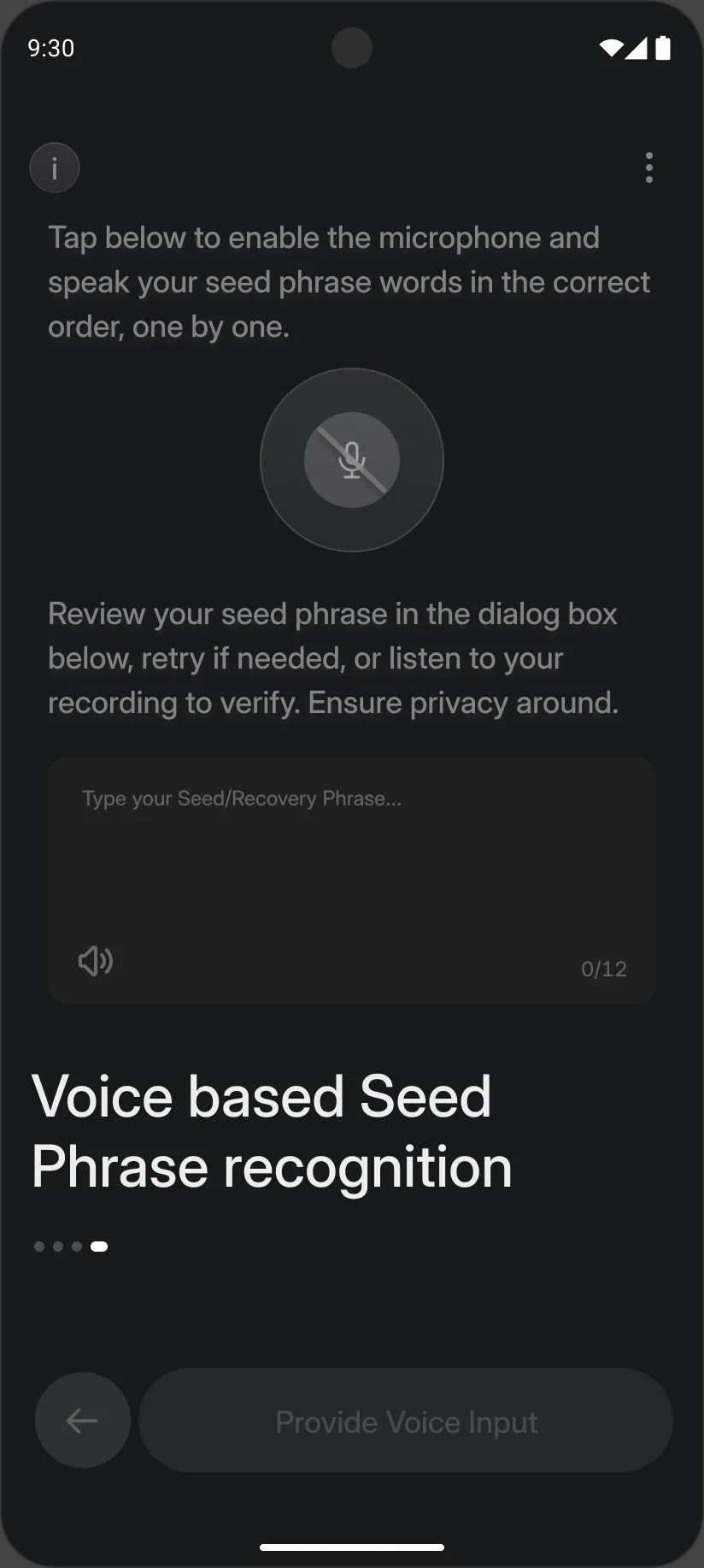
Speaking a phrase out loud can be overheard. Leaving voice out would have kept verification closed to people with visual or motor impairments, so it stays, with guards around it. When a screen reader is on, it first asks the person to make sure they are somewhere private before saying their recovery phrase aloud.
Voice covers low vision. For someone who can do neither, typing could sit on the same screen as listening back.
Voice can allow a higher attempt limit than the other methods, and recognising the owner’s voice could be added later.
The fourth method, and a completely new one: verification by visual rather than by words. This is where the earlier groundwork pays off: an understanding of the problem space, the logic behind the feature, and the maths and implementation detail that shaped this design decision.
Intro, the info sheet, twelve stars, then verify.
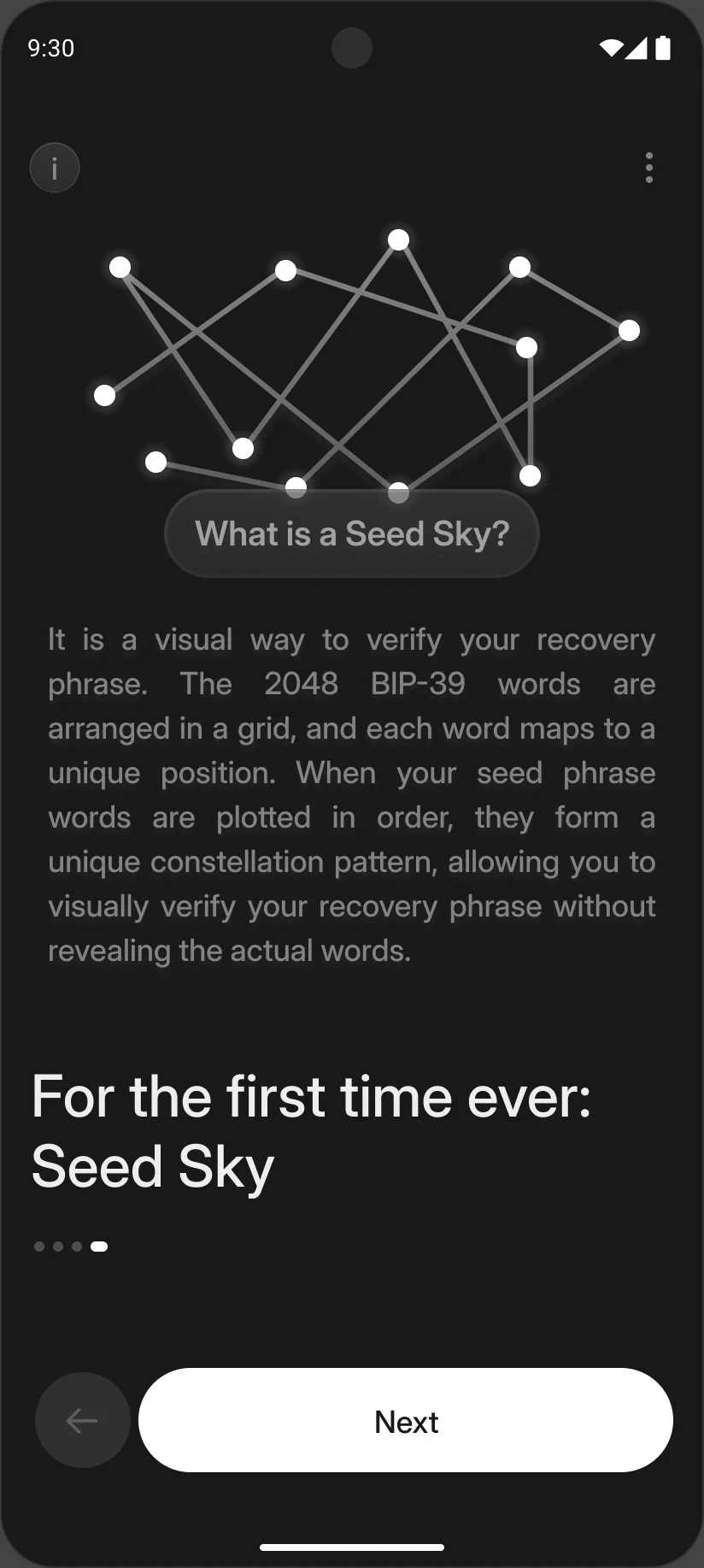
A list of twelve words is hard to check by eye, and the eye is exactly what people use when they glance at their backup. Shapes are easier. Seed Sky turns a phrase into a constellation that only that phrase can draw, so a wrong or swapped word breaks the picture.
The BIP-39 standard defines 2,048 words, each with a fixed index from 0 to 2047 and an 11-bit binary value, as the list below shows.
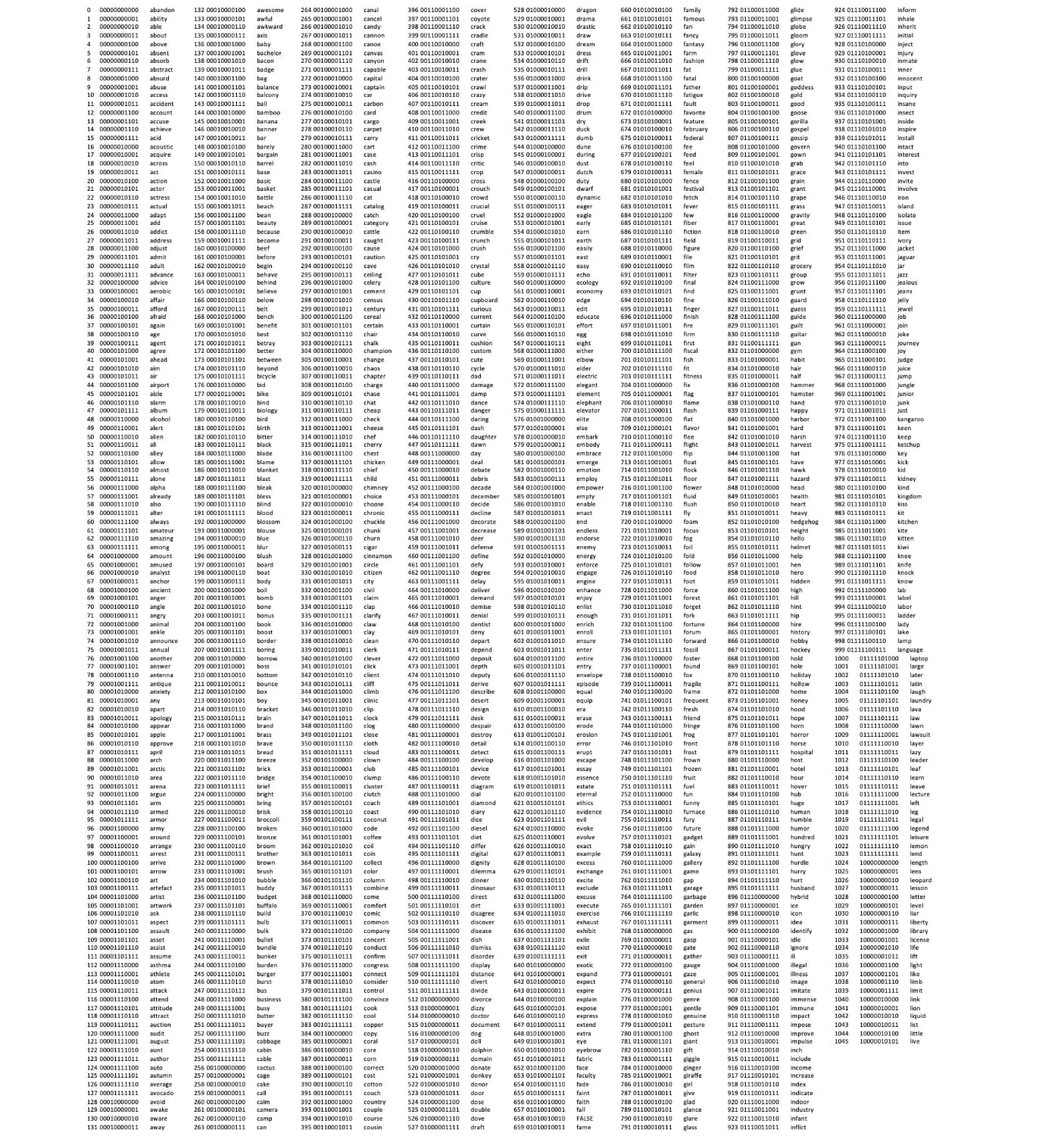
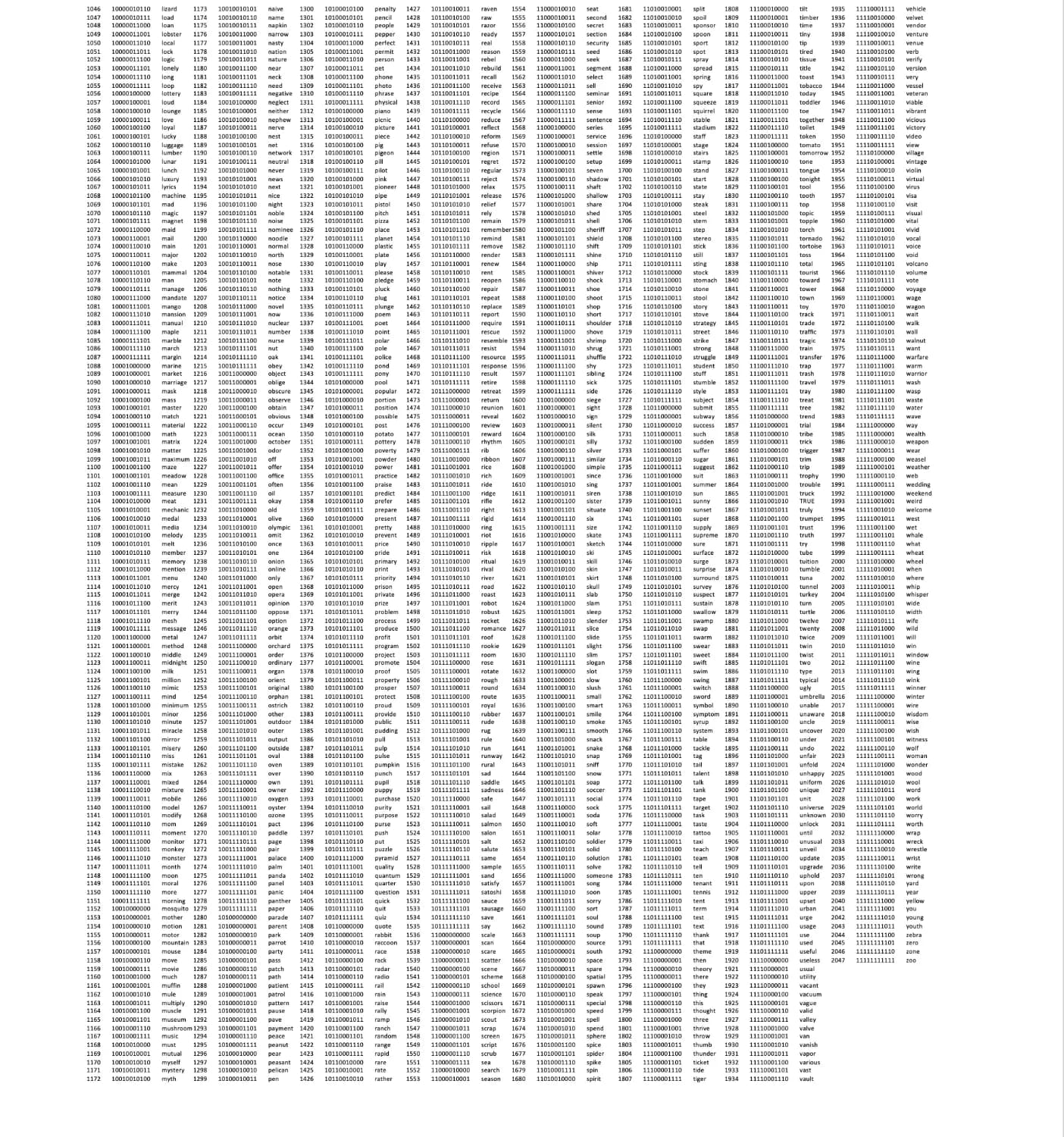
The BIP-39 wordlist: every word has a fixed index and 11-bit value.
That list can be laid out on a grid by any logic we choose. So which logic? For security, the grid's exact structure stays proprietary, but it can combine several transformations, such as these.
The grid is mirrored on any axis, any number of times, at any stage of the transformations below.
Words are scattered pseudo-randomly, seeded by their index.
The angle is (index / 2048) × 2π, spreading the stars evenly across the canvas.
These stack and combine in any order, so the possible layouts multiply.
The custom grid gives every word a coordinate. Together, a word's index, bit value and coordinate place it deterministically on the visual canvas.
Entering the phrase plots its words in order and joins them, so the path is unique to that phrase. A seeded scatter works best: it puts words that sit next to each other in the list far apart on the canvas, so even a near-miss like *about* for *above* moves a star visibly.
There are 2,048¹² possible 12-word sequences (2¹³²), and after the BIP-39 checksum 2¹²⁸ valid phrases. Two people will practically never share a sky.
Tap the words in the order they were written down.
The sky shows only stars and lines: no words, no indices, no grid and no scale. On top of the base mapping, each wallet applies its own rotation, mirroring and phase shift, so how the 2,048 words were arranged can't be read off the picture, and neither can which point a star stands for. On its own, the drawing can't be turned back into words.
It is still derived from the phrase, though, so it is treated as sensitive: shown only during verification, never stored, synced or shared. It can't restore a wallet, only check one, and it works purely at the visual layer, so the BIP-39 standard underneath is untouched.
Over time people recognise their wallet by its shape. Once a security review confirms the transformation holds up, the constellation could become the wallet's avatar: a quiet reminder that the phrase exists and belongs to them, without ever showing it.
Seed Sky says, on the screen itself, that it only verifies. The phrase is the only way to restore.
Only abstract stars and lines are shown: no words, coordinates, indices or order, so the picture alone can’t rebuild the phrase.
Seed Sky lives purely in the interface. Generating, storing and checking the phrase still follow the BIP-39 standard.
The backup goes from one skippable screen to a short, guided path that ends with proof. No one reaches the home screen with an unchecked phrase. Projected impact in the first quarter after launch, against today's flow:
The phrase appears once, between other setup steps. A checkbox asks if it’s saved. Nothing checks the copy, and the first sign of a mistake is a failed restore.
People learn what the phrase is, acknowledge what losing it means, reveal it in private, store it offline and prove it, then see a score that tells them how well it went.
Every wallet decides what to hide and what to hand over. The handover deserves as much design as any feature.
Slowing people down was right only where mistakes are permanent. Everywhere else the flow stays light.
Designing for voice made me ask what else verification could be. That question led to Seed Sky.
Users didn’t fear Bitcoin. They feared not knowing what was happening to their money, and that changed what I designed.


